OfflinAI Companion Lite
A small AI companion with a friendly drawn character in the corner of your screen. Talk or type, hear answers, and it remembers only what you agree to.
Coming soon to the Microsoft Store
About the app
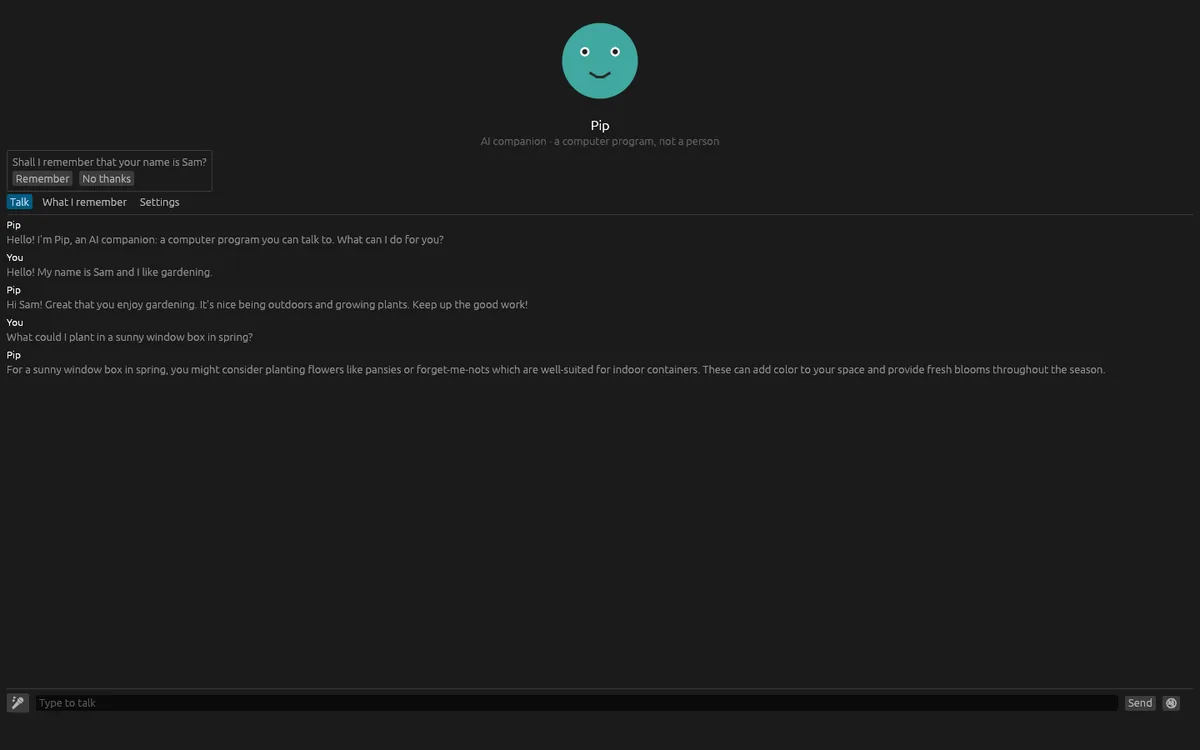
Companion Lite is a small window that stays at the corner of your screen with a friendly drawn character. It is an AI companion, and it always says so. Under the character, the window always reads AI companion, a computer program, not a person. If you ask whether you are talking to a person, the reply starts with a fixed sentence written by the app: I'm an AI, a computer program, not a person.
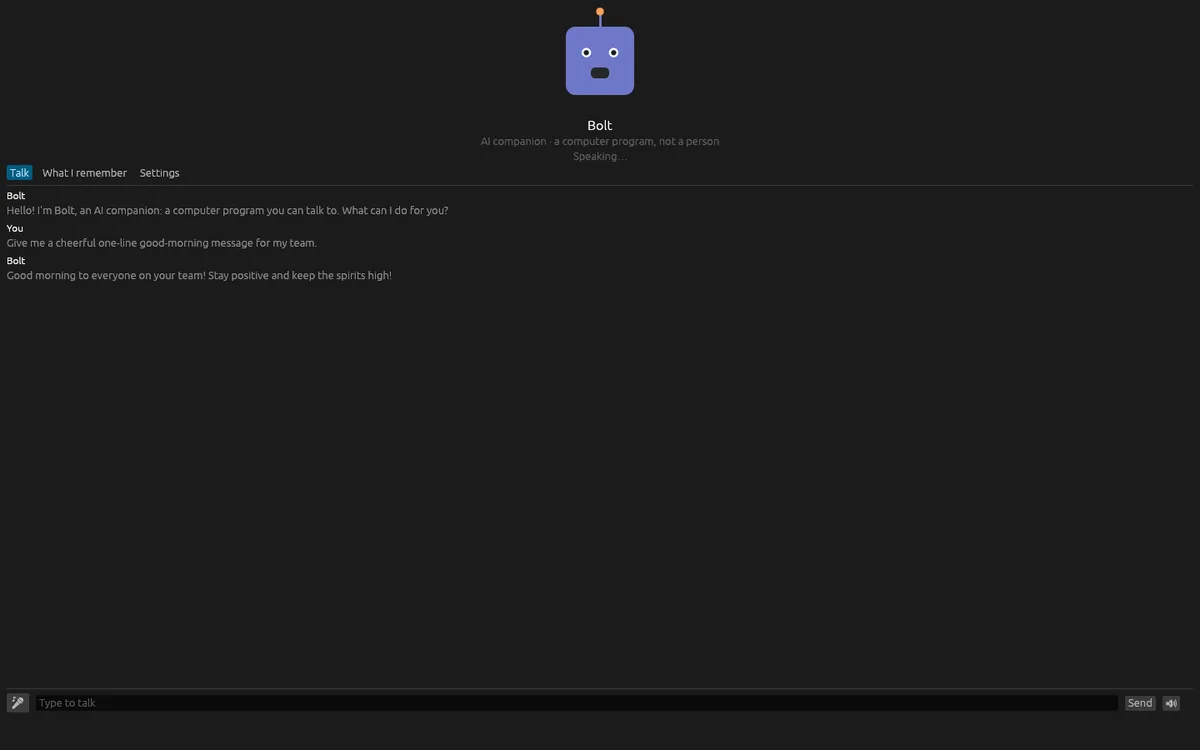
Click the character or the microphone button, or press Ctrl+Space, and speak. Click again when you are finished, or after at most 60 seconds. You can also type. Your question goes to the model, and the answer appears as it is written and is read aloud unless you mute it. Answers are kept short and plain. For health, legal or money decisions, the companion is told to suggest asking a qualified person. The companion never listens unless you ask. There is no always-on listening and no wake word.
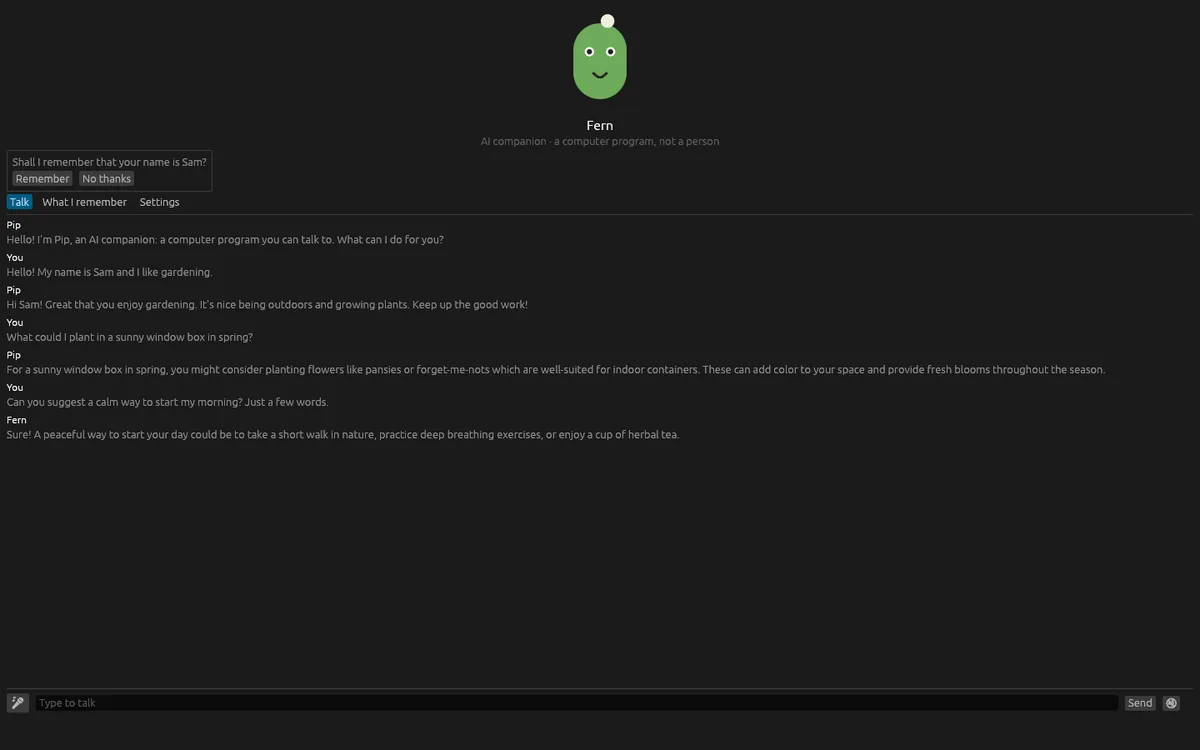
Choose from three characters drawn by the app: Pip, Bolt and Fern. Each has its own manner. The character blinks, opens its mouth while speaking, looks up while thinking and shows a ring while listening.
Nothing is remembered unless you agree. When you say something worth keeping, such as your name or something you like, the companion asks Shall I remember that, with Remember and No thanks. The What I remember page lists everything, and each item has a button to forget it. You can also forget everything after being asked to confirm. What is remembered is sealed on your device.
Optionally, the companion can remind you of meetings from an iCalendar .ics file that you choose. A reminder comes a set number of minutes before the meeting and not during your quiet hours. Repeating events are reminded only on their first date.
The companion needs OfflinAI Server running on your own PC to understand speech, answer and speak. Without it, the app tells you how to start it. Recording works on Windows and Linux. Elsewhere you can type. Your words go only to OfflinAI Server on your PC. The conversation is not saved when you close the window.
Everything stays on your device. Nothing is sent to OfflinAI, there is no account, and no data is collected.
Features
- A small always-on-top window with a drawn character: choose Pip, Bolt or Fern
- Always clear that it is an AI: a fixed statement when asked, and a notice under the character
- Talk by clicking or pressing Ctrl+Space, or type; answers appear and are read aloud unless muted
- Never listens unless you ask, with no wake word
- Remembers only what you agree to; see and forget each item, or forget everything
- Optional meeting reminders from a calendar file, with quiet hours
- Uses OfflinAI Server on your own PC for speech and answers
Screenshots