OfflinAI Docs Lite
A small, quick word processor for .docx files. Edit letters and invoices and save them back without losing headers, fields, comments or tracked changes.
Coming soon to the Microsoft Store
About the app
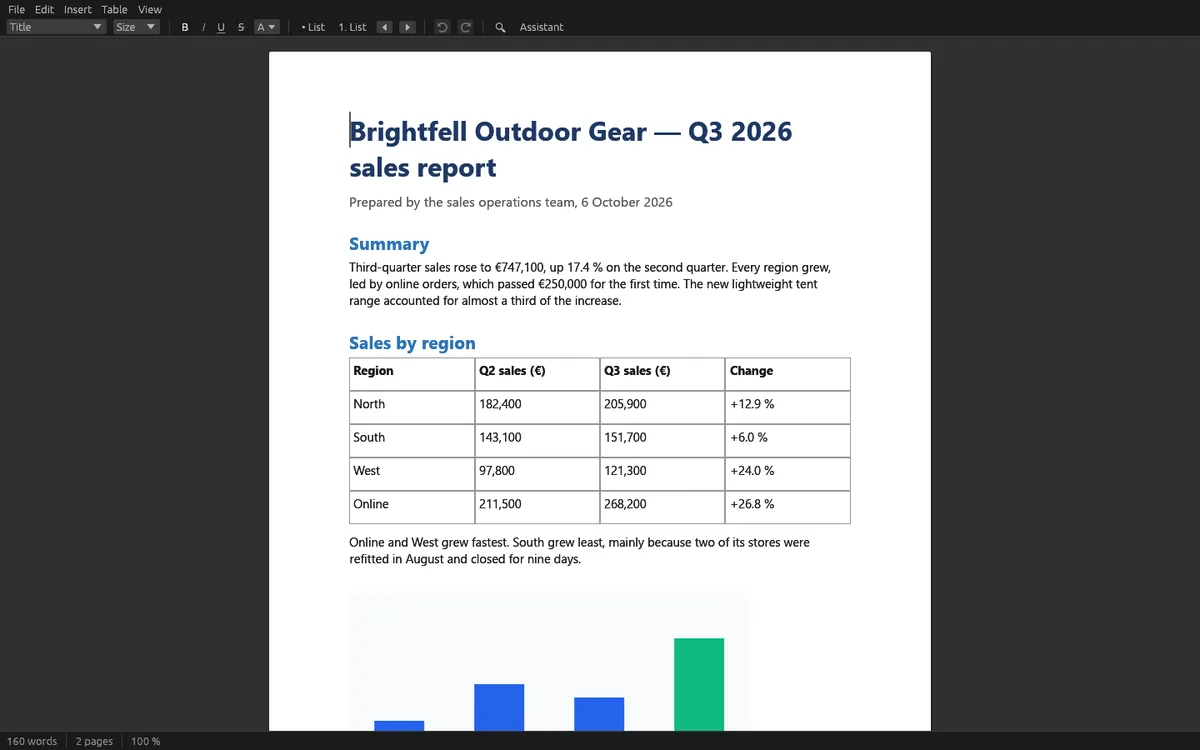
OfflinAI Docs Lite is a small word processor for .docx documents. Open a letter or an invoice, change its text, styles, lists and tables, and save it back to the same file.
Docs Lite is built to keep what it does not understand. When you save, every part of the file you did not change is written back exactly as it was stored. Headers, footers, fields, comments, tracked changes, content controls and bookmarks stay where they were. Fields, content controls and tracked changes are shown in a quieter color but are not edited.
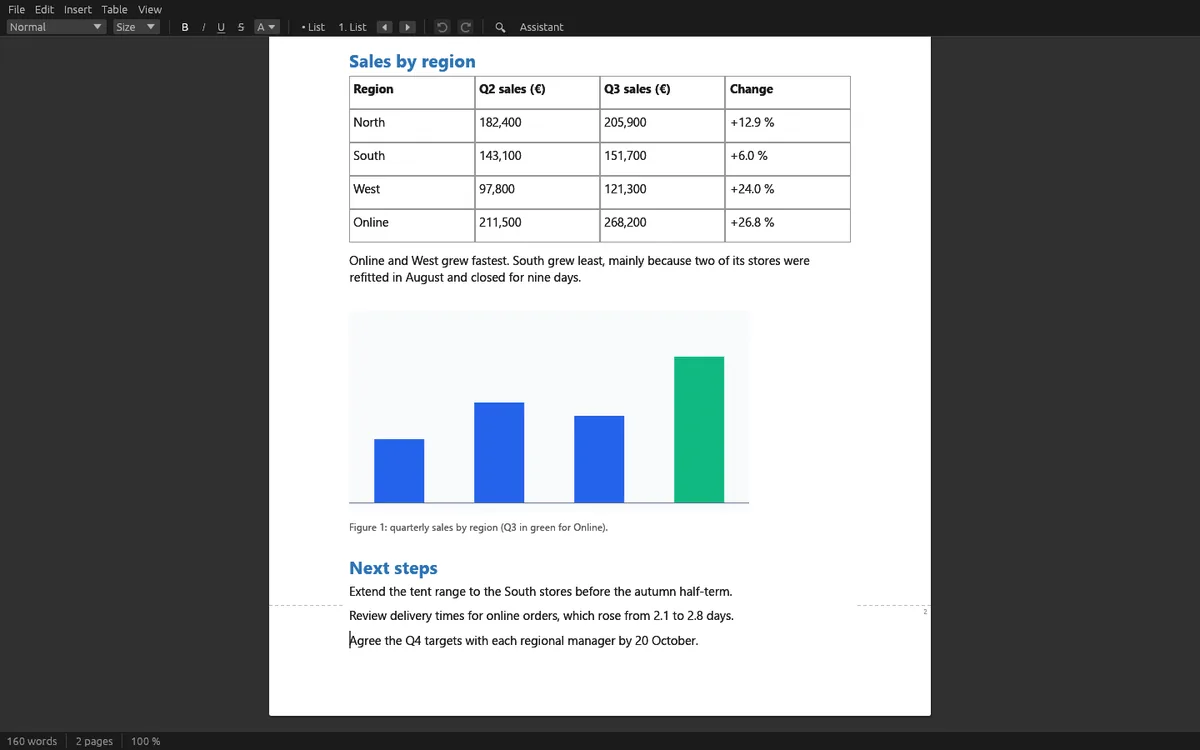
The page is a column in the middle of the window, with the document's own paper width and margins, and page ends marked. Zoom from 50 to 300 percent. You can set paragraph styles (Normal, Title, Heading 1 to 3, Quote), bold, italic, underline, strike-through, size and color, bulleted and numbered lists with levels, and tables where you can insert or delete rows and columns. PNG and JPEG pictures are kept and shown, and you can add one from a file. Find and replace, undo and redo, and a word count are included.
You can also open .txt, .md, .rtf and .odt files as new documents, and export to PDF, Markdown or plain text. Older .doc files and password-protected files are not opened; the app tells you so in plain words.
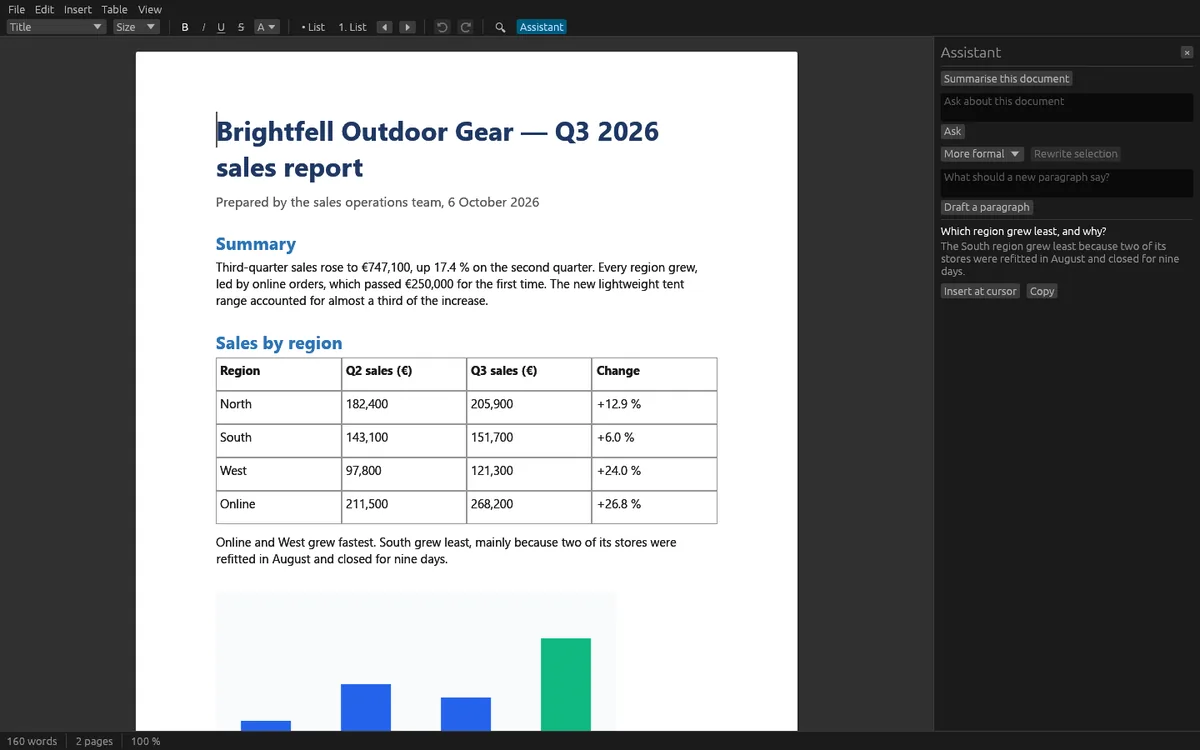
The assistant is optional. A panel beside the page can summarize the document, answer questions about it, rewrite the selection (more formal, friendlier, shorter, longer) and draft a paragraph from a few words. These AI features use OfflinAI Server running on your own PC. Nothing it writes goes into your document until you choose Insert or Replace, and each insert is one undo step. Without OfflinAI Server, the editor works as normal; a summary shows the opening of the document and a question shows the best matching sentences.
Everything stays on your device. There is no account, and no data is sent to OfflinAI. The only connection the app makes is to OfflinAI Server on your own PC, plus a web or mail link if you Ctrl+click it, which opens in your browser.
Page breaks are approximate and may differ from where other programs place them.
Features
- Open, edit and save .docx files; the file is replaced in one step, never half written
- Saves back everything it did not change: headers, footers, fields, comments, tracked changes and content controls
- Paragraph styles, text looks, bulleted and numbered lists, and tables with row and column editing
- Pictures kept and shown; add PNG or JPEG pictures; page breaks; zoom 50 to 300 percent
- Find and replace, undo and redo, and word count
- Open .txt, .md, .rtf and .odt as new documents; export to PDF, Markdown or plain text
- Optional assistant on OfflinAI Server on your PC: summarize, ask, rewrite the selection, draft a paragraph
Screenshots