OfflinAI Draw Lite
A small, quick app for diagrams. Draw flowcharts, org charts and network sketches with connectors that stay attached, and export SVG or PNG.
Coming soon to the Microsoft Store
About the app
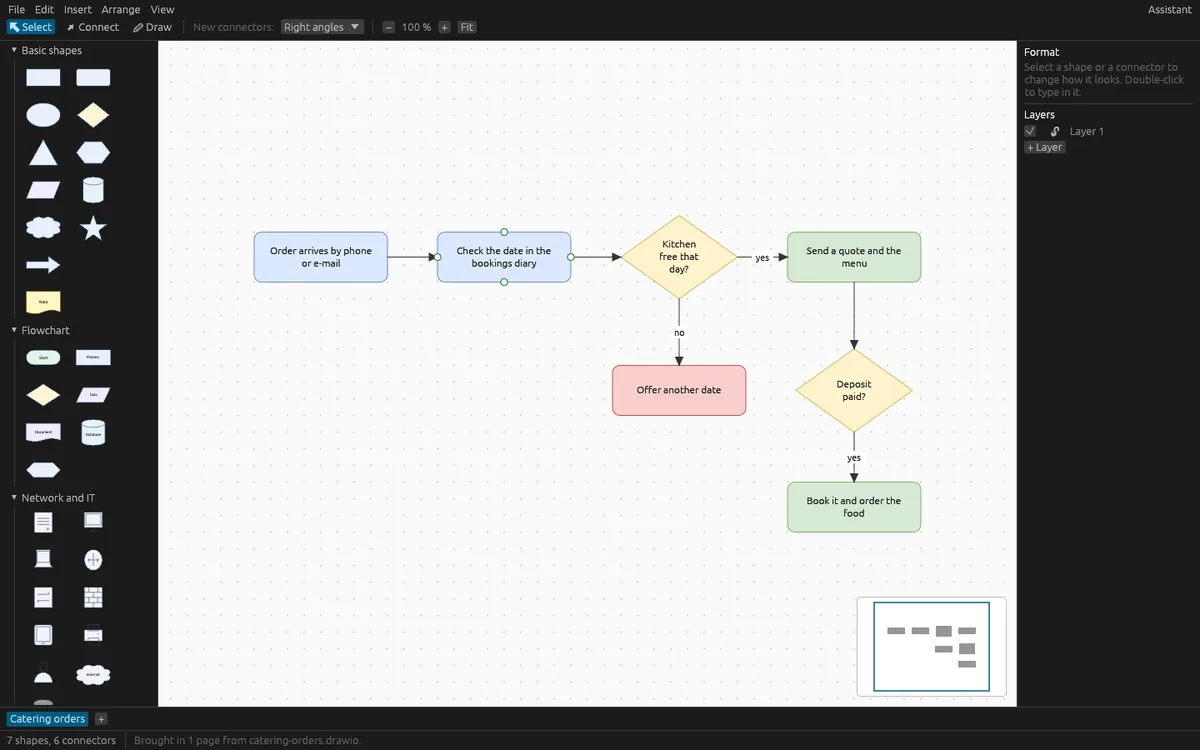
OfflinAI Draw Lite is a small app for diagrams and simple vector drawings: flowcharts, org charts, network sketches and UML class boxes. Draw them from built-in shapes on an unbounded page.
Built-in sets include basic shapes, flowchart shapes, network and IT marks (server, desktop, laptop, router, switch, firewall, phone, printer, user, internet, database), org chart shapes and UML shapes (class, interface, actor, note). Click a shape to add it or drag it onto the page. Shapes can have text, fill, line color, width, dashes, rotation and layers, and can be grouped. You can also add pictures (PNG or JPEG), text boxes and freehand lines.
Connectors join shapes at their connection points and stay attached when shapes move, resize or turn. Choose straight, orthogonal or curved routes, arrowheads at either end, and a label in the middle. The orthogonal router keeps clear of the two shapes it joins; it does not route around other shapes in between.
On the page you can pan and zoom from 5 to 800 percent, use a grid with snapping and smart guides, select with a marquee, align and spread out shapes, change the order of shapes, copy and paste, copy a selection as a picture, and use a minimap and page tabs. Undo and redo cover every change.
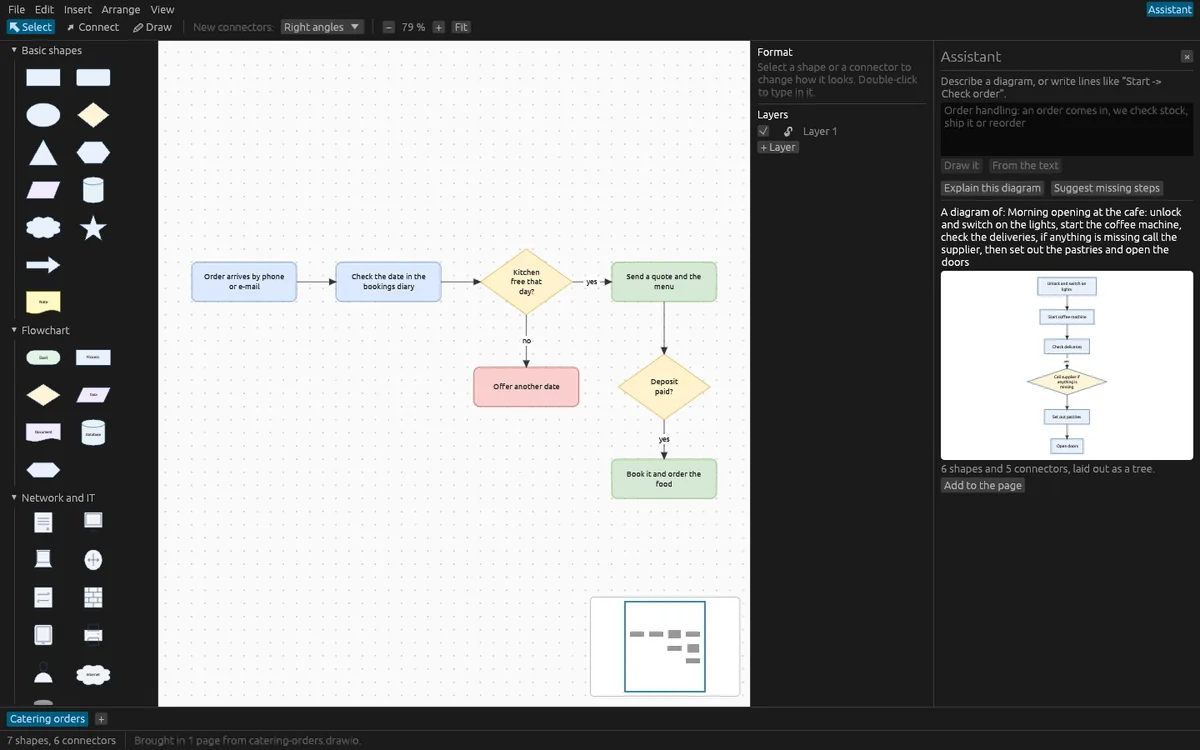
Draw Lite can lay out a diagram for you as a tree, like an org chart, or in layers, like a flowchart. It can also turn plain text into a diagram: lines such as "A -> B" or an indented list become shapes and connectors.
Files are saved in Draw Lite's own .drawlite format. Export a page as SVG or PNG. Bring in the shapes of an SVG picture, and open uncompressed .drawio files. Compressed .drawio files are not opened; the app tells you how to save one uncompressed.
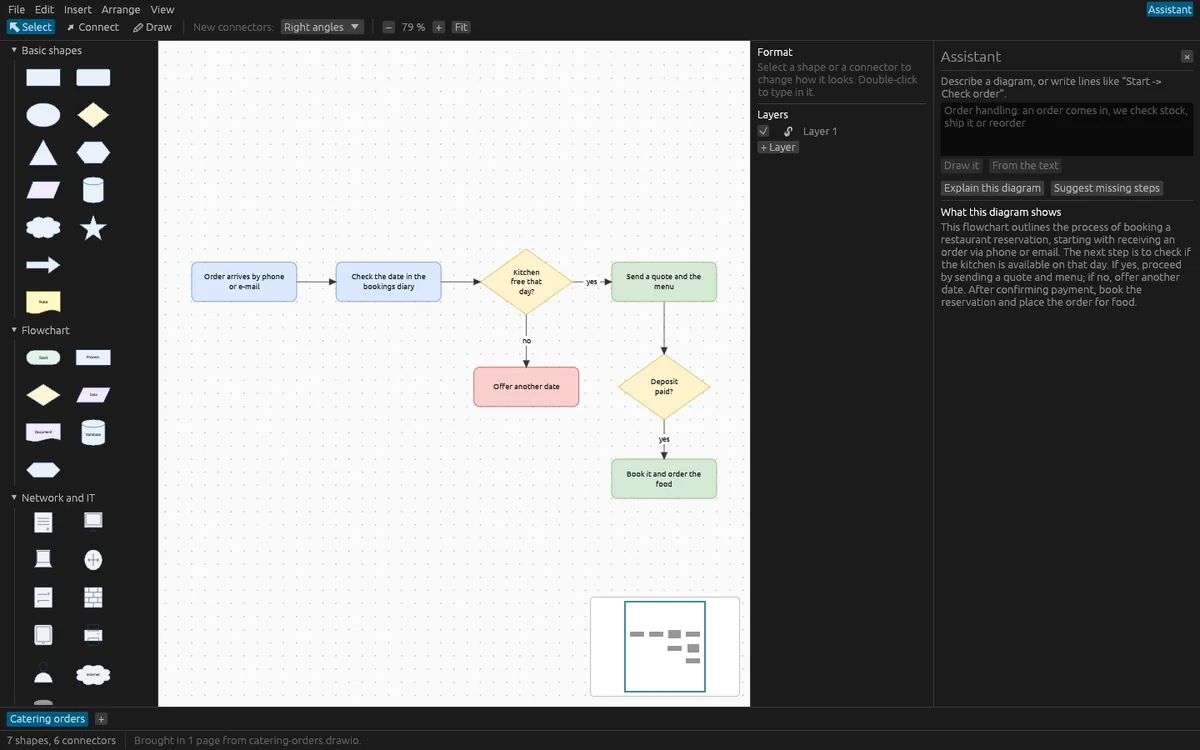
The assistant is optional. It can draw a diagram from a description, which you see as a preview before it is added, explain a diagram, and suggest steps a flowchart may be missing. These AI features use OfflinAI Server running on your own PC. Without it, text lines still become diagrams and the explanations and checks are done by simple rules.
Everything stays on your device. There is no account, and no data is sent to OfflinAI. The only connection the app makes is to OfflinAI Server on your own PC.
Features
- Flowchart, org chart, network and UML shapes on an unbounded page, with groups, layers and pictures
- Connectors that stay attached when shapes move, with straight, orthogonal or curved routes, arrowheads and labels
- Automatic tree and layered layout; turn "A -> B" text or an indented list into a diagram
- Snapping, smart guides, align and spread out, zoom 5 to 800 percent, minimap, page tabs, undo and redo
- Export SVG and PNG; import SVG shapes and uncompressed .drawio files
- Light and dark follow Windows
- Optional assistant on OfflinAI Server on your PC: draw from a description, explain a diagram, suggest missing steps
Screenshots