OfflinAI Notepad Lite
A small, fast editor for text and Markdown files, with an optional AI assistant that runs on OfflinAI Server on your own PC.
Coming soon to the Microsoft Store
About the app
OfflinAI Notepad Lite is a small, fast editor for plain text and Markdown files.
It opens very large files without freezing: big logs open in a read-only line view that scrolls smoothly, and you can still search, go to a line, select and copy. Each file is kept exactly as it was written. The app detects the encoding (UTF-8, UTF-16, Windows-1252) and the line endings, and saves them back the same way unless you change them in the status bar. Saving is atomic, so a crash never leaves half a file, and unsaved work is copied every few seconds so it can be restored after a crash or power cut.
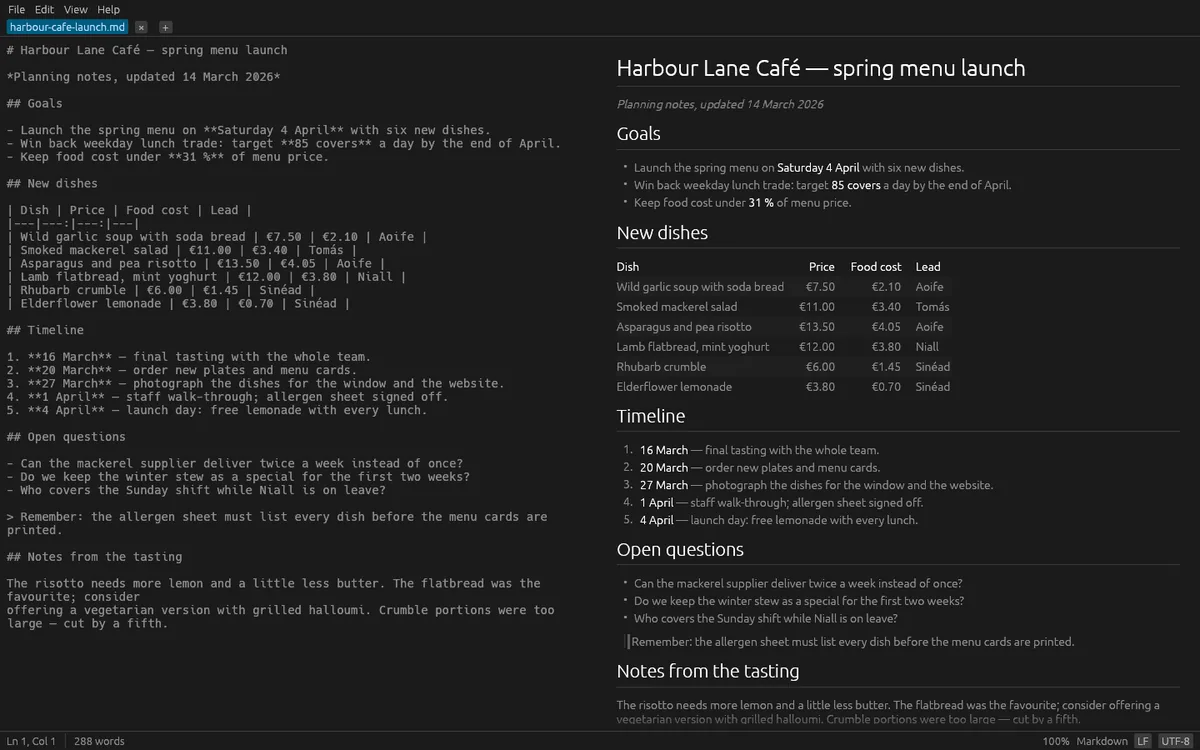
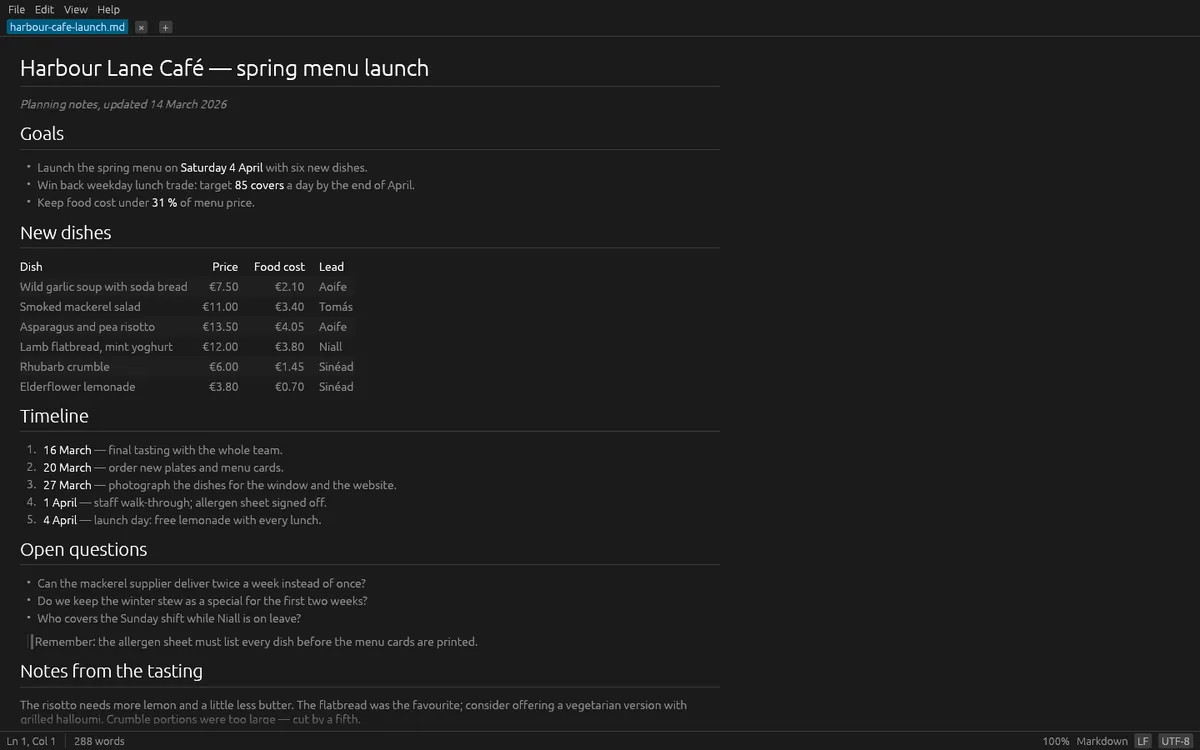
Markdown files open rendered, with edit, side-by-side and preview modes: headings, lists, task lists, tables, code blocks, quotes, footnotes and pictures stored on your computer. Raw HTML is shown as text and never run, and nothing is downloaded from the web. You can export any document as a standalone HTML page.
Editing covers what you expect: tabs for several files, recent files, drag and drop, undo and redo, find and replace with match case, whole word and regular expressions, go to line, word wrap, text size, and light or dark theme.
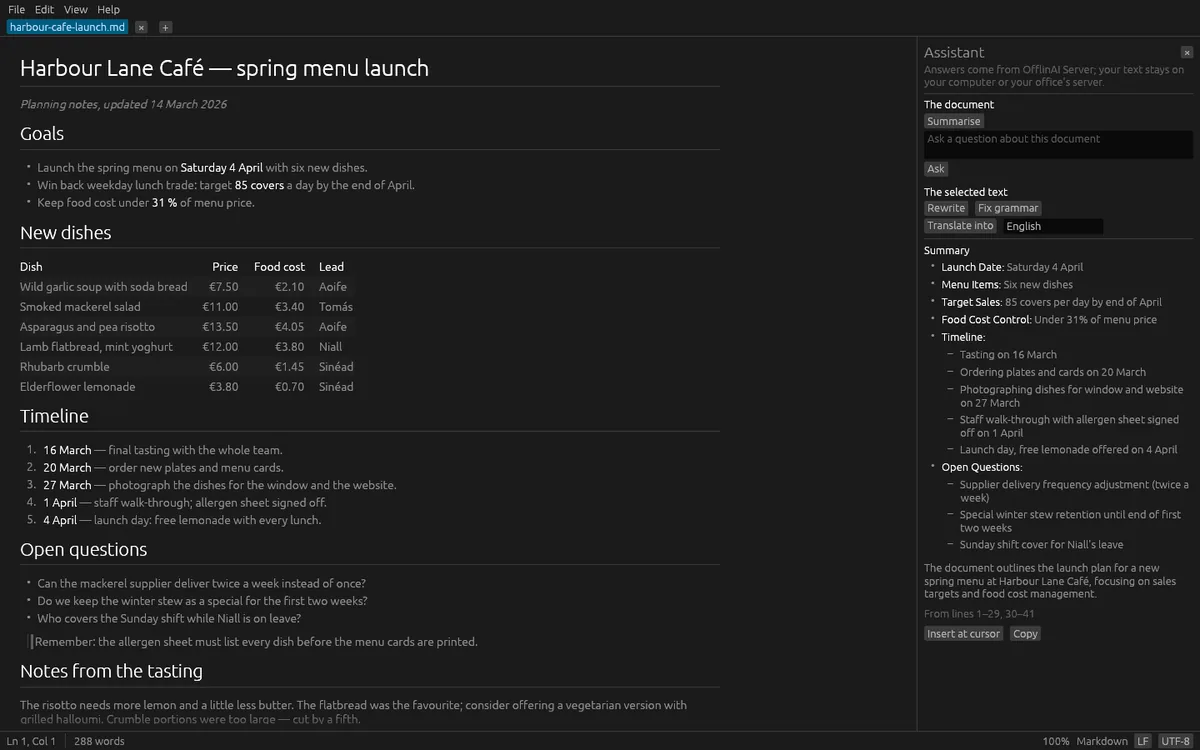
The assistant panel can summarize the document, answer questions about it, and rewrite, correct or translate the selected text. Its answers come from OfflinAI Server running on your own PC. A result never changes your document by itself: you choose to replace, insert or copy it. Without the server, the editor works fully and the assistant still offers an outline, matching lines and a spacing tidy-up.
Everything stays on your device. There is no account, and the app sends nothing to OfflinAI.
Features
- Opens text and Markdown files fast, including very large logs, without freezing
- Keeps each file's encoding and line endings; atomic saves and crash recovery for unsaved work
- Markdown shown rendered, side by side or as source, with tables, task lists and local pictures
- Find and replace with regular expressions, go to line, tabs, word wrap, light and dark themes
- Export any document as a standalone HTML page
- Optional assistant: summarize, ask, rewrite, fix grammar or translate, using OfflinAI Server on your PC
- No account, nothing sent to OfflinAI: your files stay on your device
Screenshots