OfflinAI Plan Lite
A small, quick project planner. List tasks, link them, set working days and people, and see the schedule, critical path and Gantt chart.
Coming soon to the Microsoft Store
About the app
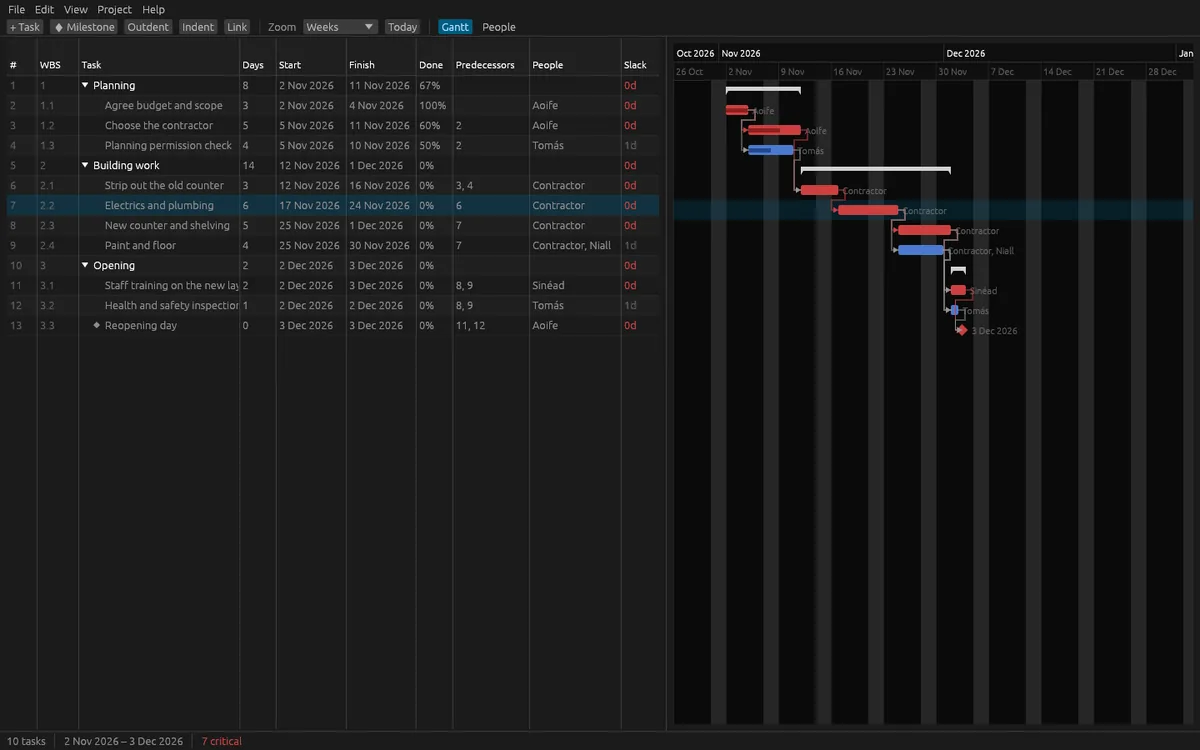
OfflinAI Plan Lite is a small project planner for Windows. Make a list of tasks in an outline, say how many working days each takes, which task waits for which, and who does it. Plan Lite works out the dates and shows them as a table beside a Gantt chart.
Tasks nest under summary tasks, with outline numbers. Link tasks finish-to-start, start-to-start, finish-to-finish or start-to-finish, with lags and leads. Set a start-no-earlier-than date or a must-finish-on date. Set the working days of the week and name your days off, and tasks skip them. Mark milestones and percent complete, add notes, and give each task people with a share of their day.
After every change the plan is scheduled again. You see the critical path in red, each task's slack, and summary tasks that roll up their dates and progress. If links make a loop, Plan Lite refuses it and names the tasks involved. If a must-finish date cannot be met, the task says so.
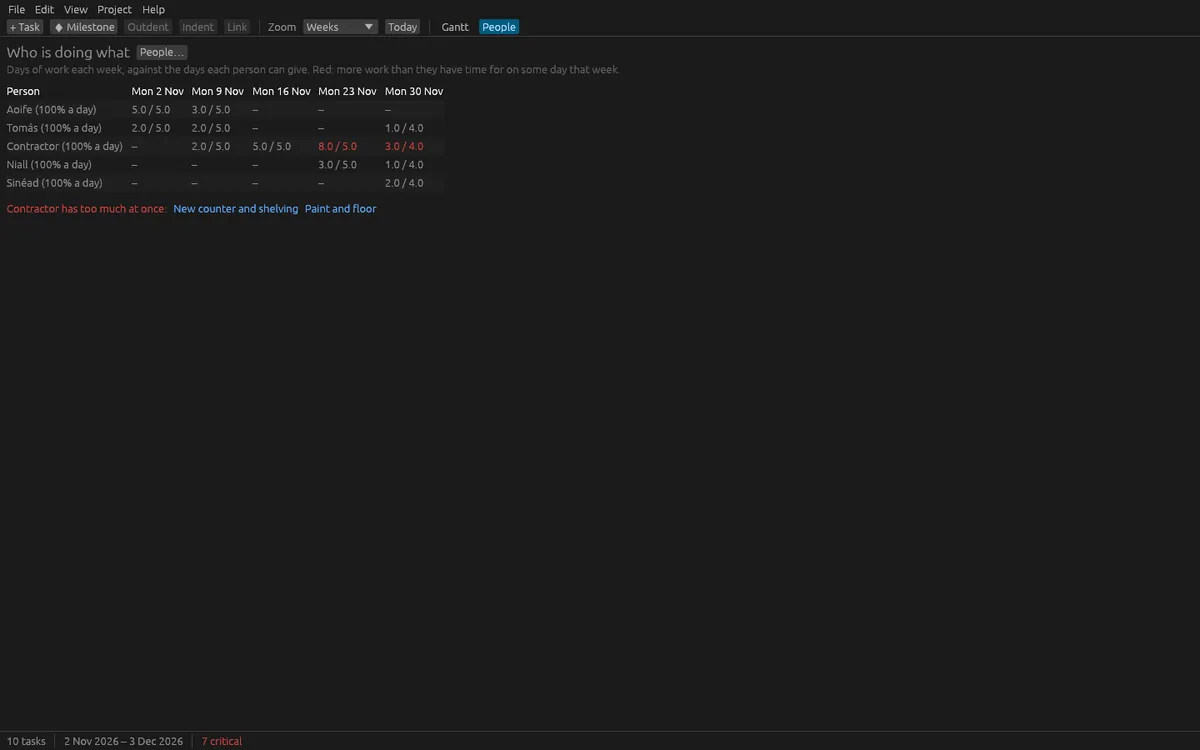
The chart shows bars with progress, milestones, link arrows, days off, today's line and a baseline under each task. Zoom from days to quarters. Drag a bar to move it, drag its end to change its length, or drag one bar onto another to link them. A resource view shows each person's work per week against what they can give, and marks weeks with too much. Save a baseline to see how far each finish has moved. Undo and redo cover every change, up to 100 steps.
Plans are saved in Plan Lite's own .planlite file. You can export the task list to CSV, import a CSV, export the chart as SVG or PNG (the PNG has no text), and import project XML files.
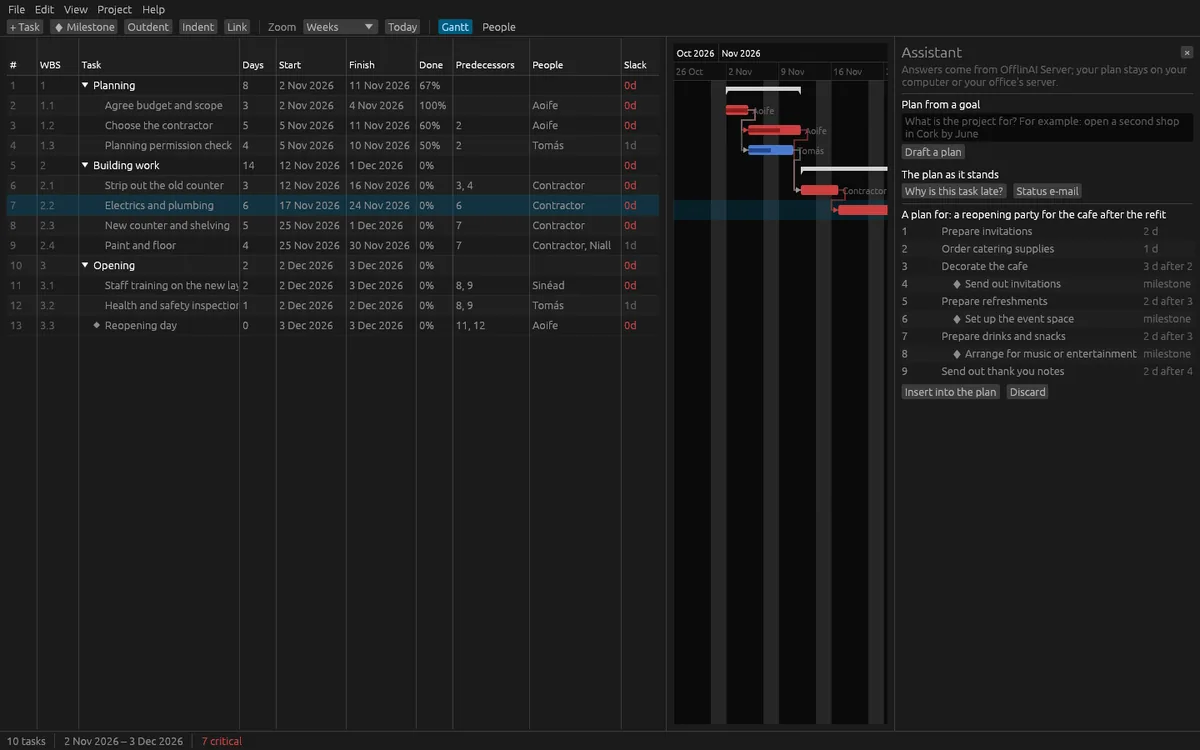
The assistant is optional. It can draft a first plan from a goal, which you review before inserting. It can explain why a task is late, and write a short status e-mail from facts that Plan Lite works out. These AI features use OfflinAI Server running on your own PC. Without it, you still get a general outline to start from and the same facts as a plain e-mail.
Everything stays on your device. There is no account, and no data is sent to OfflinAI. The only connection the app makes is to OfflinAI Server on your own PC.
Plan Lite does not do costs, budgets, resource leveling or printing.
Features
- Task outline with summary tasks, working-day lengths, milestones, percent complete, notes and people
- Four link kinds with lags, start and finish constraints, a work week and days off; loops refused
- Critical path, slack, baseline comparison and a resource view of who has too much work
- Gantt chart with zoom, drag to move, resize or link bars; export to SVG or PNG
- Import and export CSV; import project XML; undo and redo for every change
- Fast re-scheduling after every change, built for plans of thousands of tasks
- Optional assistant on OfflinAI Server on your PC: plan from a goal, why a task is late, status e-mail
Screenshots