OfflinAI Rewrite Lite
Paste text and get it back rewritten beside the original: clearer, simpler, shorter, corrected, more formal, or in your own style. Private and offline.
Coming soon to the Microsoft Store
About the app
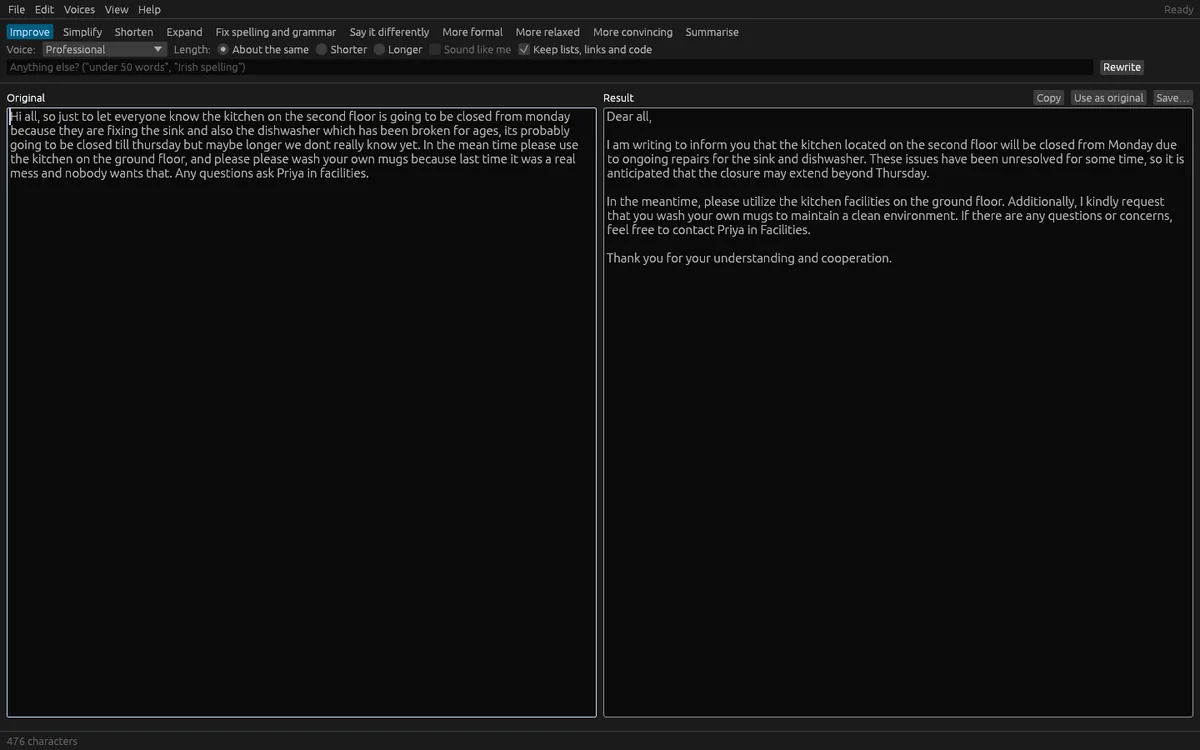
OfflinAI Rewrite Lite is a small app for rewriting text. Paste or type your text, choose what to do with it, and the rewrite streams in beside the original.
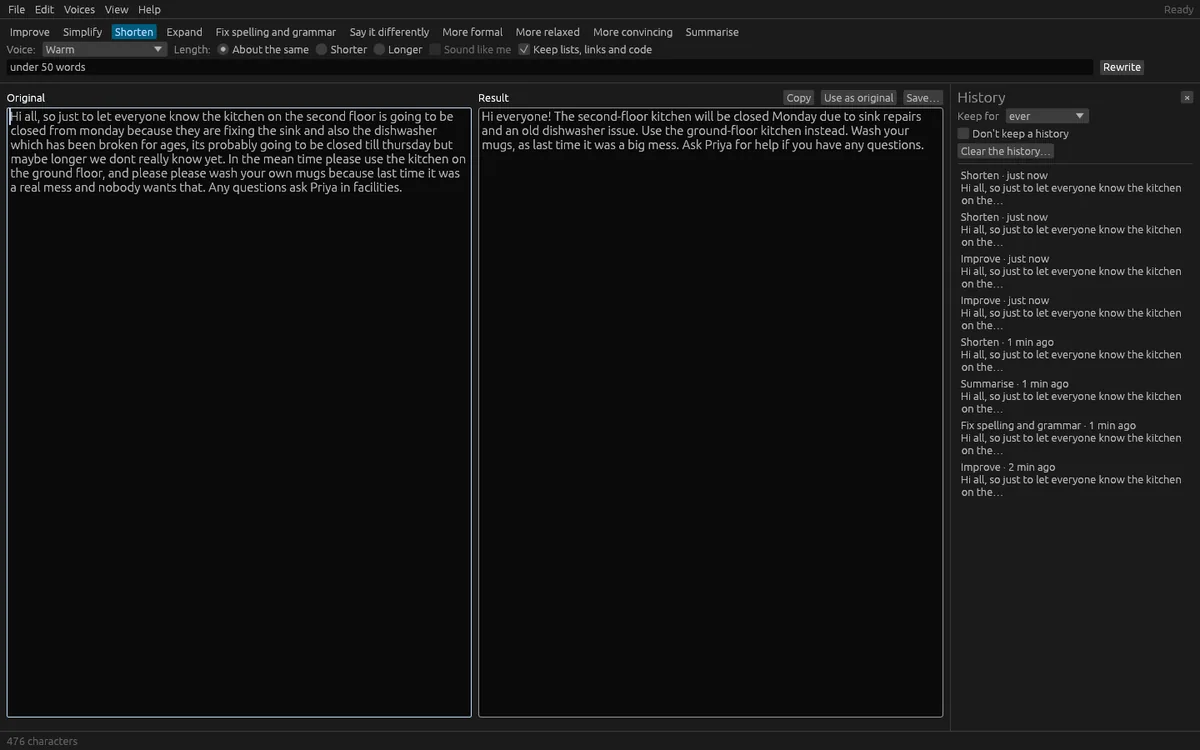
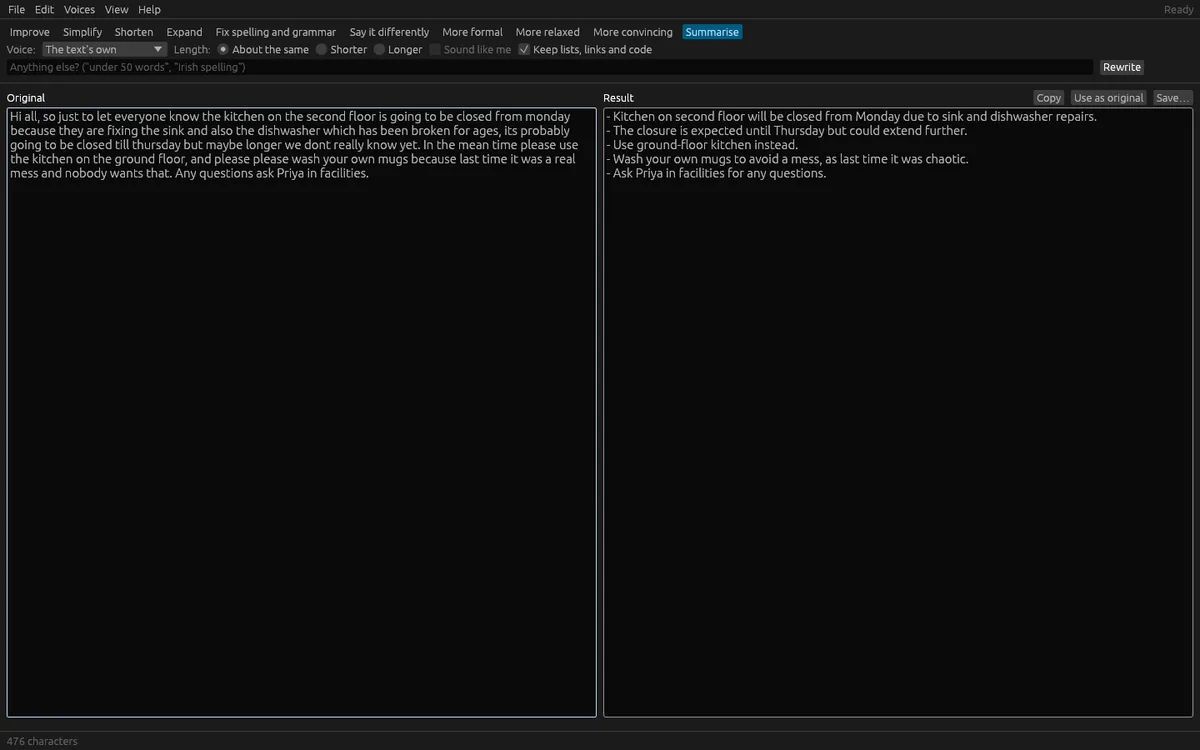
Choose from Improve, Simplify, Shorten, Expand, Fix spelling and grammar only, Say it differently, More formal, More relaxed, More convincing and Summarize. Pick a voice (the text's own, Neutral, Warm, Confident, Professional, Encouraging, Playful, or one you describe yourself) and a target length. You can add a one-off instruction such as "under 50 words". You can also save a sample of your own writing, and turn on "sound like me" so the rewrite keeps your vocabulary, rhythm and formality.
Rewrite Lite handles long text, up to 400,000 characters, in parts and joins them with your original paragraph breaks. If something fails part-way, the parts already done are kept. Links, web and mail addresses and code are kept untouched by default, and the app tells you if one went missing so you can check against the original.
Press Esc or Stop to end a rewrite and keep what was written. You can edit the result, copy it, or use it as the original for another pass. Open text from a file (text, Markdown, PDF, .docx, .odt, .rtf, slides, spreadsheets, web pages or mail), drag a file onto the window, or open a picture of text, which OfflinAI Server reads with a note to check it. Save the result as Markdown or text.
A private history of past rewrites is encrypted on your computer. Keep it for ever, for a day, 7, 30 or 90 days, or keep none. Your own voices and writing sample are encrypted too. Your last choices are remembered.
Rewrite Lite uses OfflinAI Server running on your own PC for rewriting. Without it, Fix spelling and grammar tidies spacing and repeated words, and Summarize and Shorten give the opening sentence of each paragraph. The app says which, and why.
Everything stays on your device. There is no account, and no data is sent to OfflinAI. By default the only connection the app makes is to OfflinAI Server on your own PC. If an administrator has set a different OfflinAI Server address for the machine, the app uses that address instead.
Features
- Ten actions: improve, simplify, shorten, expand, fix spelling and grammar, say it differently, more formal, more relaxed, more convincing, summarize
- Choose a voice and length, add your own voices, or sound like you from a sample of your writing
- Long text handled in parts with progress; links, addresses and code kept untouched
- Open files or a picture of text; save the result as Markdown or text
- Encrypted history of rewrites that you can keep, delete or switch off
- Stop part-way and keep what was written; copy, edit, or use the result as the next original
- Fix spelling and a simple summary still work without OfflinAI Server
Screenshots