OfflinAI Slides Lite
A small, quick viewer and editor for .pptx presentations. Fix text, move things, write speaker notes, present full screen and save back safely.
Coming soon to the Microsoft Store
About the app
OfflinAI Slides Lite is a small presentation viewer and editor for .pptx files. Open a presentation, look through its slides, fix the text, move things about, add a slide or a picture, write the speaker notes, present it full screen and save it back.
When you save, a slide you did not touch is written back byte for byte. In a changed slide only the edited shapes are patched. Animations, transitions, charts, tables, media, comments and parts the app does not know about are kept as they were.
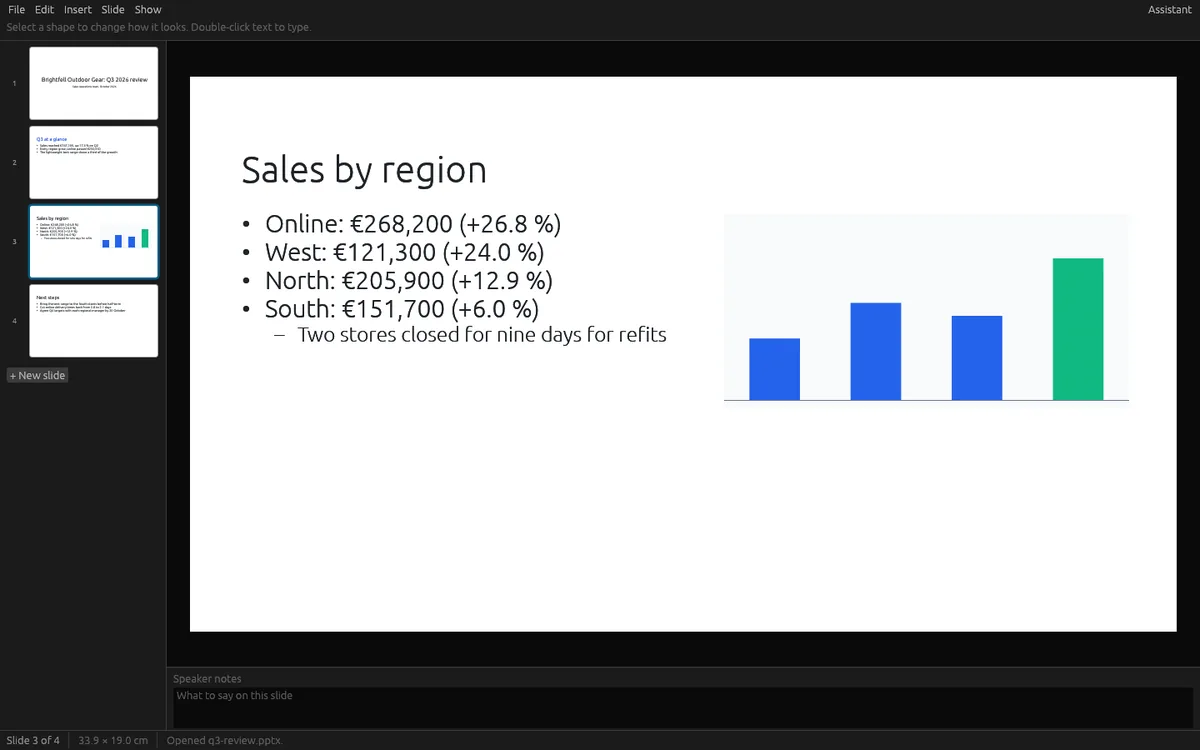
The slide is drawn in the middle of the window, with a rail of thumbnails beside it. Backgrounds, theme colors and fonts, placeholders, shapes, pictures, groups and formatted text are drawn well enough to work on. What the app cannot draw, such as tables, charts, diagrams and video, shows as a labeled box where it sits, so nothing is silently missing. Hidden slides are marked.
You can click a shape to select it, drag it to move or resize it, rotate it, nudge it with the arrow keys, and double-click a text shape to type in place. Bold, italic, underline, size and color apply to the characters you select. You can add text boxes, rectangles, ellipses, lines and pictures, add a slide from any of the presentation's layouts, duplicate, delete, hide and reorder slides, change a slide's layout, and edit speaker notes in a pane under the slide. Undo and redo cover every change, up to 100 steps. You can also start a new presentation from a small built-in template and export the outline as Markdown.
Present full screen from the start or from the current slide, with keyboard and mouse controls, a black screen key, and an optional presenter window with notes, the next slide and the time.
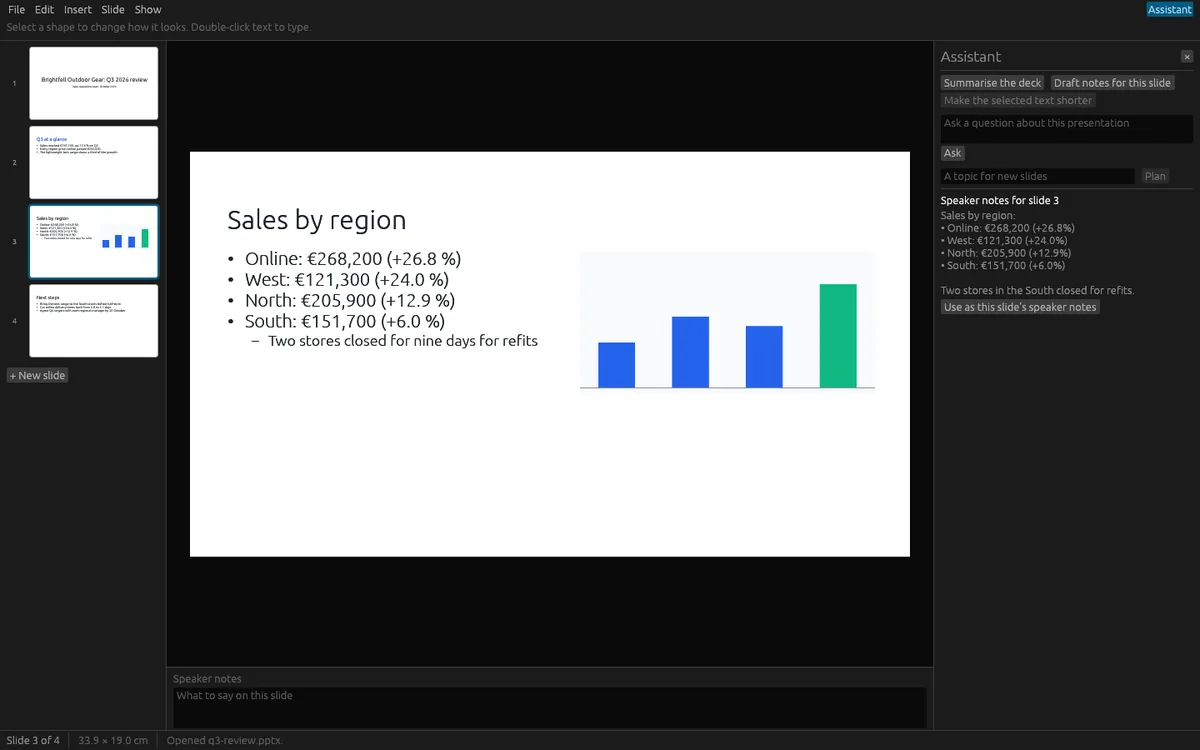
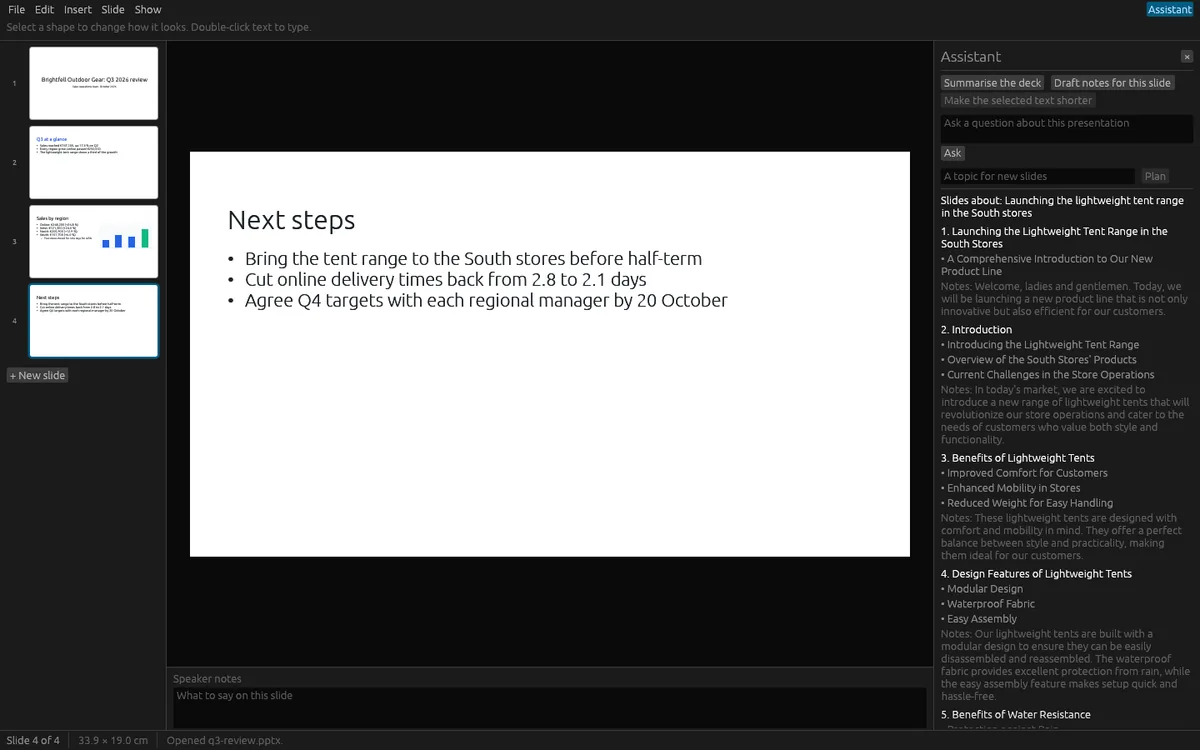
The assistant is optional. It can summarize the deck, answer questions about it, draft speaker notes for a slide, make selected text shorter, and plan new slides from a topic. These AI features use OfflinAI Server running on your own PC. Each answer is shown first, and nothing goes into your presentation until you choose to use it. Without OfflinAI Server, each task still gives a simpler result, such as each slide's title and first point.
Everything stays on your device. There is no account, and no data is sent to OfflinAI. The only connection the app makes is to OfflinAI Server on your own PC.
Features
- Open, edit and save .pptx; untouched slides are saved byte for byte and unknown parts are kept
- Thumbnail rail, slide view, hidden slide marks, and labeled boxes for tables, charts and video it cannot draw
- Move, resize and rotate shapes, type in place, format selected text, add text boxes, shapes and pictures
- Add, duplicate, delete, hide and reorder slides; change layouts; edit speaker notes; undo and redo
- Present full screen with an optional presenter window
- Start a new presentation and export the outline as Markdown
- Optional assistant on OfflinAI Server on your PC: summarize, ask, draft notes, shorten text, plan slides
Screenshots