OfflinAI Tasks Lite
A fast to-do list. Type a task in plain words and it is understood. Lists, sub-tasks, repeats, reminders and a board, with private storage.
Coming soon to the Microsoft Store
About the app
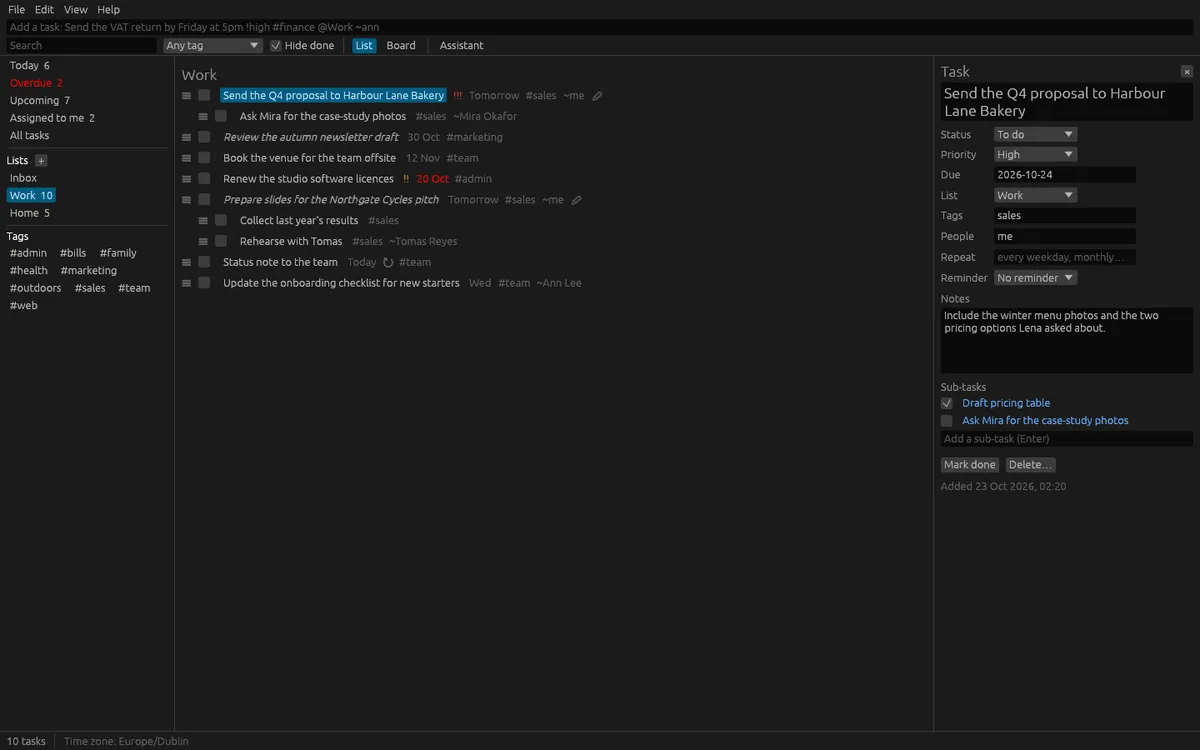
OfflinAI Tasks Lite is a fast to-do window for one person. Type a task the way you would say it, for example "Send the VAT return by Friday at 5pm !high #finance @Work", and the date, priority, tag and list are understood. What was understood is shown under the line before you press Enter. Plain-word dates are English only.
Each task has a list, sub-tasks, notes, a status (to do, in progress, done or cancelled), a priority, a due date, tags and people. Changes save by themselves, and undo takes back the last 50 changes. Deleting is not undoable, so the app asks first.
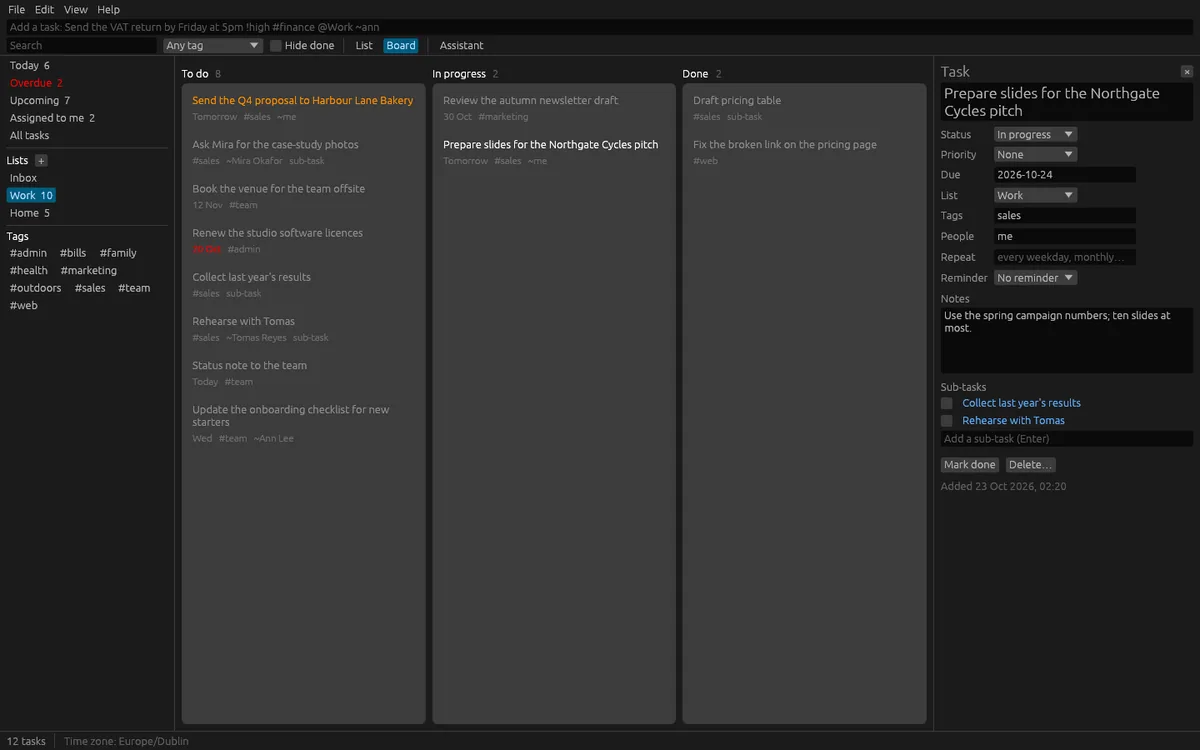
Views include Today, Overdue, Upcoming (14 days), Assigned to me, All and each list, with counts. Tasks can repeat, for example every weekday, every other Monday or monthly, either on a schedule or counted from each completion. Missed repeats do not pile up: a repeating task moves to its next date from today. Reminders show in a bar in the window and as a desktop notification when allowed, and anything that came due while the app was closed is shown on the next start. Search by words, filter by tag, hide done tasks, or switch to a board with columns for To do, In progress and Done and drag cards between them.
Import and export CSV files, Markdown checklists and calendar to-do (.ics) files, for a whole store or one list. Drop a file on the window to import it.
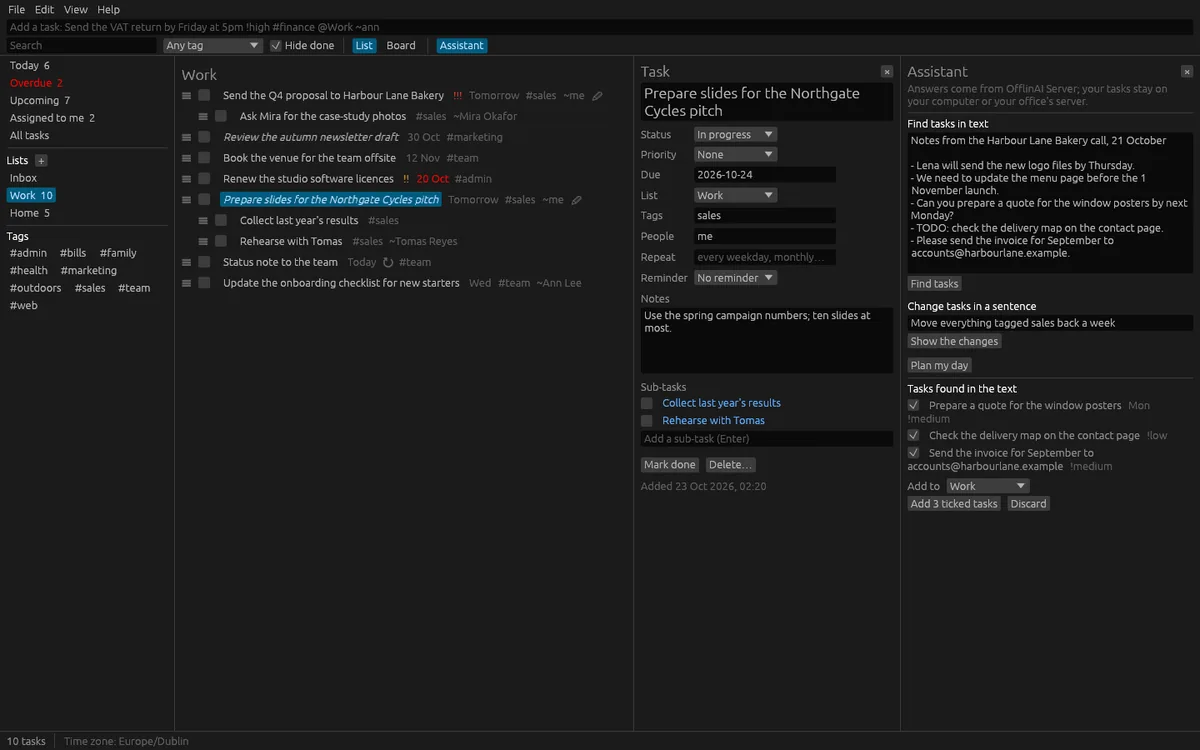
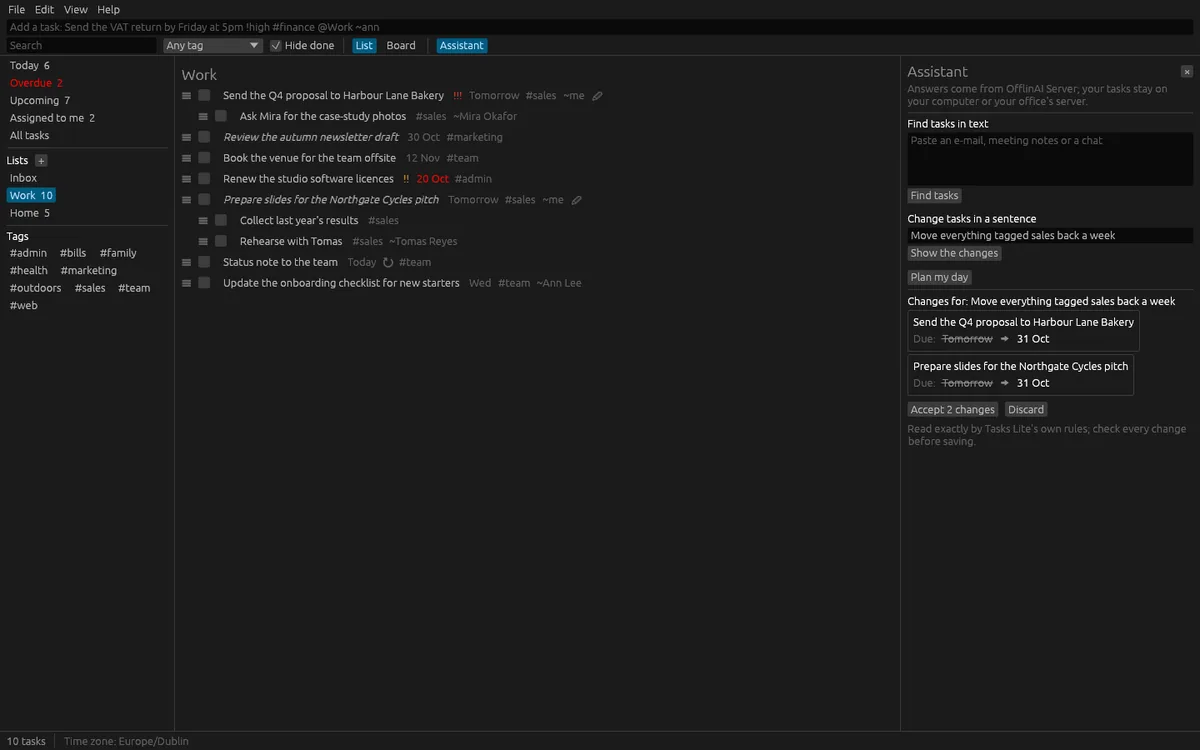
The assistant is optional. You can paste an e-mail, notes or a chat to find tasks in it, and tick which ones to add. You can change many tasks from one sentence, such as "move everything tagged launch back a week", and see every change as before and after, saved only when you press Accept. You can also ask it to plan your day, with a reason for each task. These AI features use OfflinAI Server running on your own PC. Without it, simple rules find checklist lines, action lines and requests, understand common change sentences, and always give a day plan.
Tasks are encrypted on your computer, with a key kept in the system keychain. Everything stays on your device. There is no account, and no data is sent to OfflinAI. By default the only connection the app makes is to OfflinAI Server on your own PC. If an administrator has set a different OfflinAI Server address for the machine, the app uses that address instead.
Tasks Lite does not do project scheduling.
Features
- Quick add in plain words: date, time, priority, tags, list, people and repeats are understood
- Lists, sub-tasks, notes, status and priority; Today, Overdue, Upcoming and Assigned to me views
- Repeating tasks that do not pile up, reminders in the window and as desktop notifications
- Board view with drag between columns; search, tag filter and hide done
- Import and export CSV, Markdown checklists and calendar to-dos (.ics)
- Tasks encrypted on your PC; undo the last 50 changes
- Optional assistant on OfflinAI Server on your PC: find tasks in text, change tasks from a sentence, plan my day
Screenshots